
Hope everybody had a great week!
Quick question. How many videos are sitting in your “watch later” list right now? Mine’s a little embarrassing. This week I found a way to get through them without giving up my whole evening, and it’s the first thing below. Plus five photo tricks I can’t stop playing with, and a new way to keep your ChatGPT chats to yourself.
Let’s get into it.
- Gemini Will Watch That 2-Hour Video for You
- Secret Image Codes for ChatGPT
- You Can Now Lock Your Private ChatGPT Chats
- 4 Trending AI Tools Worth a Look
- Turn a cooking video into a recipe card
- Make Gemini stick to your brand
- A Canva flyer with the words spelled right
🏁 Start here
Gemini Will Watch That 2-Hour Video for You

When you’re running everything yourself, time is the one thing you never have enough of. So I’ve gotten picky about where mine goes.
This week I had a 42-minute video on starting a one-person business open in a tab. I could tell there was good stuff in it. Instead of watching it, I gave the link to Gemini with one prompt, and a minute later the whole thing was laid out on a single page: the main idea, the steps in order, and the three things worth doing this week. I read it in about five minutes. That’s 37 minutes back, and I got more out of it than I would have half-listening while I answered emails.
It’s free, and there’s nothing to set up. Go to gemini.google.com, start a new chat, paste this in, and drop your link where the bracket is:
Turn this YouTube video into a visual action plan I can scroll through and save. Include a short summary, every step in order, the 3 things to do this week (easiest first), and what I need before I start. Add checkboxes so I can track my progress.

Make it look clean and modern: white background, black text, one soft accent color like muted teal, lots of white space, and rounded cards with thin borders. No dark mode, no gradients, no neon, no purple, no emojis.

Video: [paste the YouTube link]
Try it on whatever’s been sitting in your list the longest. A podcast, a course, that tutorial a friend sent you in August. And if a plan isn’t what you’re after, the guide shows you how to change one line and get study notes, a quiz, or a quick “is this even worth my time” instead.
✍️ Do this with ChatGPT
Secret Image Codes for ChatGPT
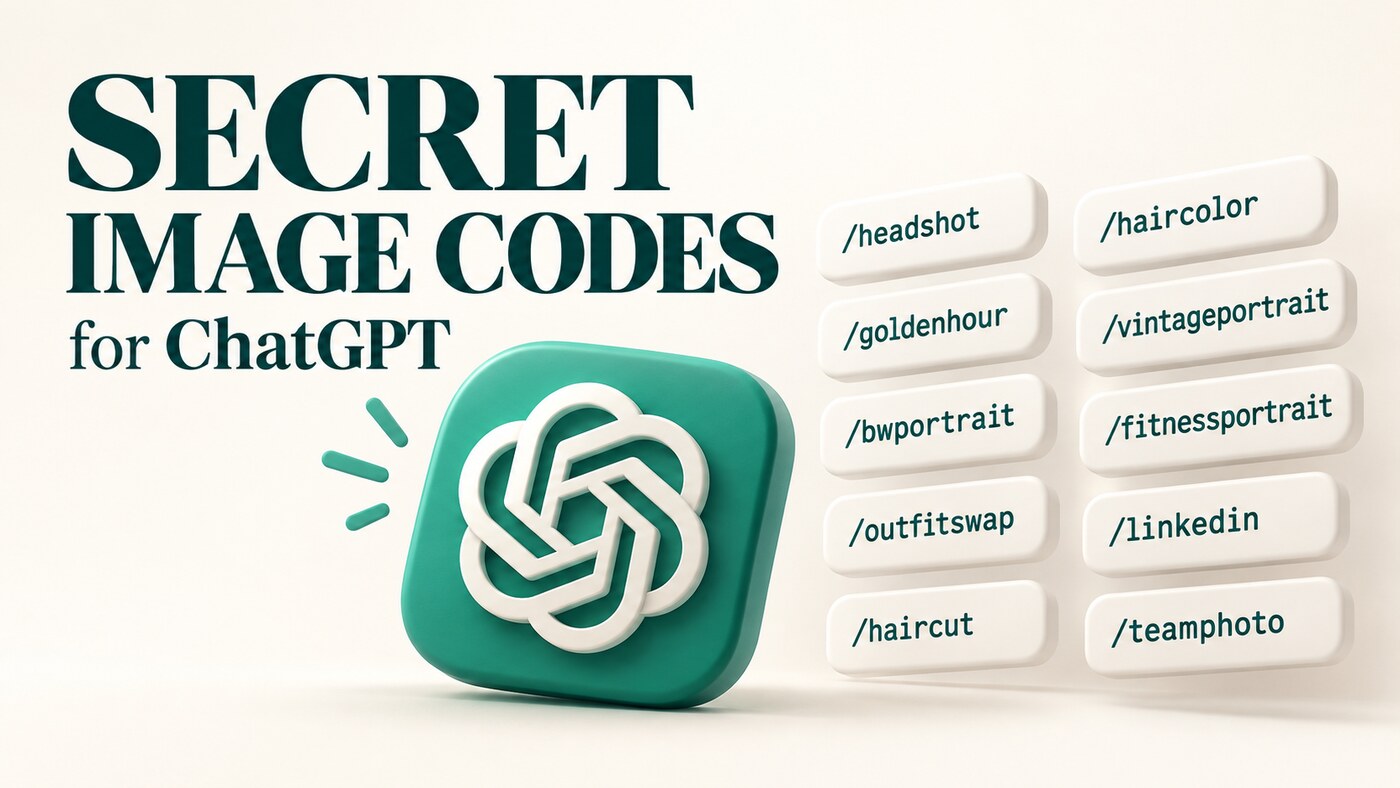
If you don’t follow me on Instagram, you missed this one, and it’s too fun to skip.
Upload a photo to ChatGPT, type a short code, and hit send. I keep a free guide with 240 of these codes, and here are the five I use the most:
-
/actionfigure put me in a plastic box as a collectible action figure, hiking poles and all.
-
/timewarp 1920s turned an ordinary selfie into a flapper portrait. I’d frame it.
-
/interiormakeover took a plain living room and gave it a whole coastal farmhouse look.
-
/petportrait made a Bernese mountain dog into royalty. Crown, robe, the works.
-
/restore is the one that got me. A faded sepia photo of three little girls came back sharp and in full color. That’s the one you’ll send to your mom.
Here’s mine, before and after:
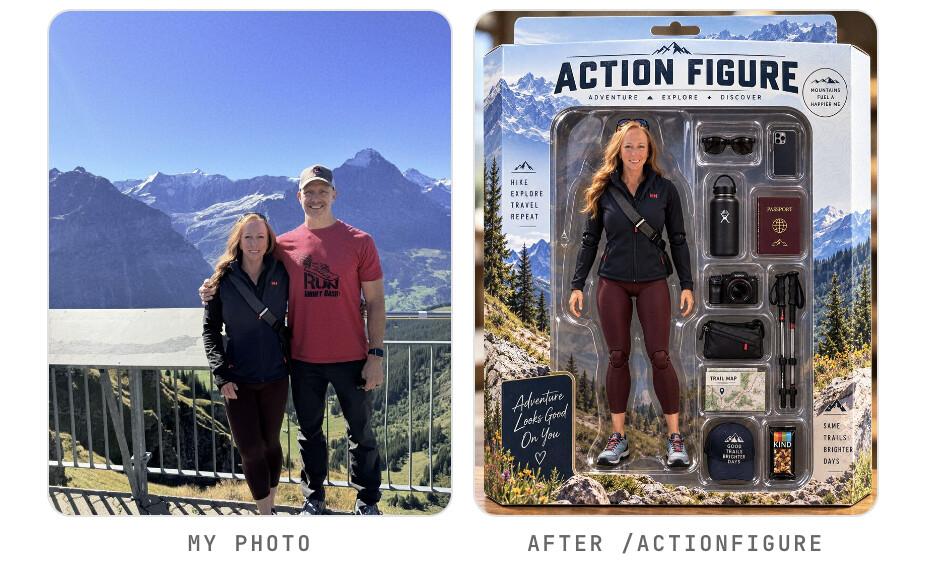
There’s no secret menu behind these. ChatGPT reads the word and figures out what you want, so they work on the free plan too. If a face comes back looking like somebody else, add “keep my face exactly the same” after the code.
Want the other 235? They’re all in my guide, on one page, sorted by what you’re trying to do: old family photos, headshots, holiday cards, your pets, your home, travel, weddings, and your small business. Bookmark it. I add new ones as I find them.
Get All 240 Free Image Codes →
📰 News you can use today
You Can Now Lock Your Private ChatGPT Chats
Be honest. There’s at least one conversation in your ChatGPT you’d rather nobody scrolled past. The health question at 2am. The budget meltdown. The email you drafted and thankfully never sent.
Now you can put those behind a PIN. OpenAI started rolling out Locked Chats on October 21, and it’s on the free plan. Go to Projects, then Locked chats, and set a four-digit PIN. After that, lock any chat from its menu and it disappears from your history and search until you open it with the PIN.
Two things to know first. This keeps your chats away from whoever borrows your laptop, not from OpenAI. And if you ever reset the PIN, the locked chats are deleted for good, so pick one you’ll remember.
Don’t see it yet? Give it a few days. It’s still rolling out.
🧰 Trending tools
4 Trending AI Tools Worth a Look
Tools that caught my eye this week. All four have a free way to try them.
-
🎙️ Wispr Flow: Talk instead of type, in any app. You ramble, it cleans it up into a neat email or message. Free on Mac, Windows, iPhone, and Android.
-
📝 Granola: Takes notes on your Zoom and Google Meet calls without a bot joining the meeting, then lets you ask questions about what was said. The free plan keeps a short history.
-
⏰ Notif: AI for your iPhone reminders. Jot a note and it adds a helpful nudge and a button to get it done. Free, no account needed.
-
💗 UniqueHuman: A free iPhone app for living with a chronic condition like migraines. It pulls in data from your watch so you can log symptoms and track flare-ups in one place.
💫 Worth your 5 min
Three quick ones, all free.
1. Turn a cooking video into a recipe card. Got a favorite recipe video where they never wrote the recipe down? Same Gemini trick as up top, different ask:
Write this video as a recipe card: ingredients with amounts, then the steps in order, then the cook time and how many it serves. Only use what's said or shown in the video.

Video: [paste the YouTube link]
Ask for “a PDF of this” afterward and you’ve got it on your phone at the stove.
2. Make Gemini stick to your brand. If you sell anything, this one’s for you. Google added new business tools to the Gemini app this week. Give it your website, or your logo and colors, one time. After that, the flyers and posts it makes for you look like your business instead of a stock template. You can also hand it a spreadsheet of expenses and get a chart back. It’s rolling out over the next few days, so if you don’t see it, check back.
3. A Canva flyer with the words spelled right. If you’ve ever asked AI for a sign and gotten back “Frseh Pei Tdoay,” you’ll like this. On Thursday, Canva launched Canva Craft, its own image maker, and the words come out spelled right. Everything comes out in layers too, so you can move the text or change a color yourself. Open Canva, click Dream Lab, and try this:
A warm, simple flyer for a Saturday bake sale, with the words "Fresh Pie Today" at the top and "9 to noon, Maple Street" at the bottom. Soft morning light, one pie on a wooden table.
Free accounts get a handful of credits, so make your first few count.
💛 One more thing
All Of My Guides and Resources are Free
I started all of this because I wanted to learn AI and couldn’t find anyone explaining it in plain English. So that’s what I do now, for anyone who wants it. Every guide on my site is free, and each one goes deeper than a video ever could, with the exact prompts, the steps, and the parts that trip people up. Go check them out. They’re genuinely helpful, and I’d love for them to be helpful to you.
And if this email made something click, share it. Forward it to a friend, send them a guide, tell them where you found it. That’s how more people get to learn this stuff, and that’s the whole point.
That’s this week. If one of these actually helped, hit reply and tell me, I read every single one.
Talk soon, Kelly