
Hope everybody’s week was awesome!
This week I’ve got the story of the 20 million ChatGPT conversations that ended up in a lawsuit, and the five settings that keep yours to yourself. Then the three-part prompt that makes ChatGPT-6 Astra finish a whole job instead of handing you tips, and the file ChatGPT keeps on you and the four prompts that make it read it out loud. Plus Anthropic’s new tool that checks whether Claude made a file, and what it can’t check.
Let’s get into it.
- 20 Million ChatGPT Chats Went to Court
- How to Prompt ChatGPT-6 Astra
- ChatGPT Knows Things You Never Told It
- Anthropic can now check whether Claude made a file
- Google's free tool that drafts your posts from your website
- Claude will run the same job for you every morning
- I'm experimenting with Claude and carousels on Instagram
🔒 Start here
20 Million ChatGPT Chats Went to Court
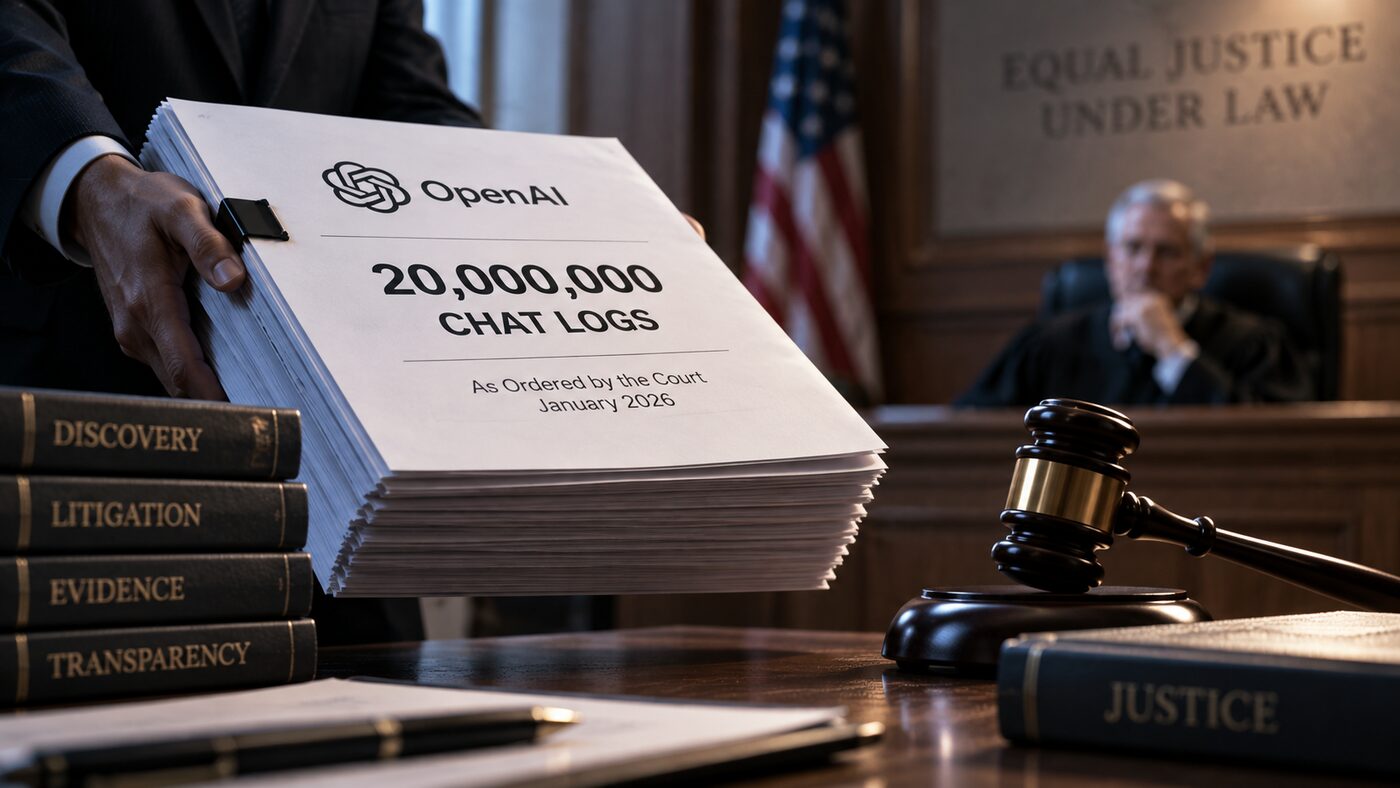
In January, a judge upheld an order for OpenAI to hand about 20 million ChatGPT conversations to the lawyers in a lawsuit. Names were stripped out. The words were all still there. That’s the extreme case. Day to day, three other groups can see what you type: ChatGPT’s training system, a small number of people at OpenAI, and anyone you’ve ever shared a link with. Every one of those doors is open by default the day you create an account.
The good news is you can close the first three in about ten minutes, with nothing technical. Settings, then Data Controls, then turn off “Improve the model for everyone.” That one switch keeps every future chat out of the training pile, on every device you use. Then delete the old shared links you forgot about, read what Memory has written down about you, and use Temporary Chat for the health question, the money question, and the message you’d only say to a friend.
The court is the one door no setting closes. The fix for that is the never-paste list: passwords, card numbers, Social Security numbers, a client’s name next to their private business, other people’s medical details, anything your employer marked confidential. Swap names for roles and exact numbers for round ones, and you get the same quality answer with none of the risk.
Do it tonight. The guide walks through all five settings in order, explains who can actually see your chats and why, and gives you the full never-paste list to tape to the monitor.
Close every door in ten minutes →
🤖 Do this with ChatGPT
How to Prompt ChatGPT-6 Astra

You can hand ChatGPT-6 Astra a whole job and get the result back. Your inbox sorted and the replies you owe on one short list. Every subscription you’re paying for, with the total at the bottom. Ten job postings that fit you, in a table, with links. The catch is that Astra only does this when you ask the right way, and almost nobody does. “Help me with my email” gets you a list of tips.
Every good Astra prompt has three parts. Start with an action verb: open, check, visit, search. Say what done looks like, and be specific about what to leave alone. End with the goal: “show me the result.” That’s the whole formula. Here’s the inbox one, ready to paste:
Open my email. Find old newsletters, spam, and receipts I never read. Unsubscribe where it's safe. Sort the important ones into folders. Then show me anything I need to reply to.
Same shape works for a subscription audit, competitor research, meeting prep, and any job that lives in a browser. Learn it once and you’ll use it for everything. The guide has ten prompts built that way, plus a quick way to tell when a prompt of your own is missing a part.
Get the 10 copy-and-paste prompts →
🧠 Then do this
ChatGPT Knows Things You Never Told It

ChatGPT has memory. Not the chat you’re in, a running file it keeps about you across every conversation, and it writes to that file while you talk. Mention your kid’s school, say you’re tired of a client, ask about a knee that hurts, and it goes in. It also works things out you never said. Roughly how old you are, what you earn, where you live, how you handle stress. Mine had my location right from one comment about traffic.
Four prompts make it read the file out loud. The first asks for the full record, nothing condensed. The second asks what it figured out that you never said, with the exact clue for each guess. The third asks for the traits you can’t see in yourself, no softening. The fourth asks it to predict how you handle money, pressure, arguments, and risk, each with a confidence score. Run them in order, in one fresh chat, and read them sitting down.
Then keep the useful memories and delete the rest. Wipe everything and ChatGPT forgets your job, how you like answers, and what you’re working on. Delete line by line instead: Settings, Personalization, Manage memories. And add the right things on purpose, like what you do, how you want answers, and two paragraphs you wrote so it drafts closer to your voice.
Get the four prompts and the delete steps →
🗞️ This week in AI
Anthropic can now check whether Claude made a file
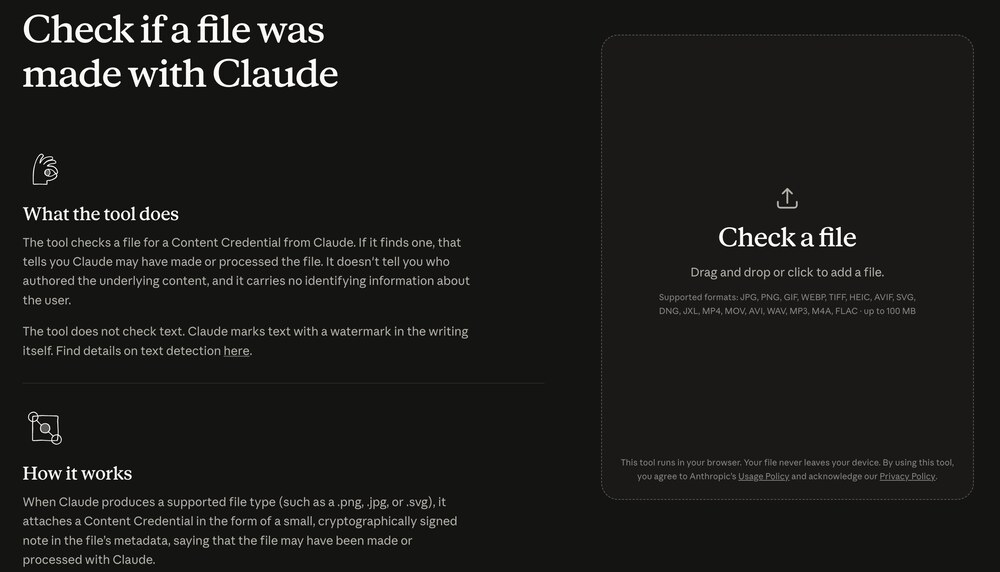
On September 2, Anthropic put up a free checker. Drop in an image, a video, or an audio file, and it tells you whether the file carries Claude’s signed credential. It runs in your browser, nothing gets uploaded, and it handles files up to 100 MB.
What it doesn’t do matters more. It does not check text. Anthropic’s text watermark can only be read through a detection tool that’s in private preview for regulators and schools, so no client, teacher, or editor can run it on your writing today. A screenshot or a re-save strips the file credential too, and a hit only means Claude “may have processed” the file, not that a person didn’t do the work. If you use Claude for images, read the page once so you know what’s attached to what you make.
⚡ Worth your five minutes
Three real things I came across this week that were worth more than a scroll-past.
1. Google’s free tool that drafts your posts from your website. Pomelli, from Google Labs. Paste your website address and it reads your colors, your fonts, and how you talk, then drafts social posts and ads that already sound like you. Free, no card, and it works in over 170 countries. If you’ve been staring at a blank content calendar, this is the fastest first draft I’ve found. Try Pomelli →
2. Claude will run the same job for you every morning. Scheduled tasks are the switch most people never flip. You write the job once, with a time and what done looks like, and Claude does it on schedule: reads everything that came in overnight, skips the newsletters, sorts the rest into reply today, this week, and waiting, and drafts the replies in your voice. My guide walks through the exact setup and the one prompt to paste. Set up your first scheduled task →
3. I’m experimenting with Claude and carousels on Instagram. If you’d rather read than watch, my first one went up last night: the file ChatGPT keeps on you, the four prompts, and the delete steps, twelve slides you can save and come back to. Claude built it with me, start to finish, and I’ll be sharing that workflow soon. Find it on Instagram →
💛 One more thing
Everything I Make Is Free, On Purpose
I started all of this because I wanted to learn AI and couldn’t find anyone explaining it in plain English. So that’s what I do now, for anyone who wants it. Every guide on my site is free, and each one goes deeper than a video ever could, with the exact prompts, the steps, and the parts that trip people up. Go check them out. They’re genuinely helpful, and I’d love for them to be helpful to you.
And if this email made something click, share it. Forward it to a friend, send them a guide, tell them where you found it. That’s how more people get to learn this stuff, and that’s the whole point.
That’s this week. If one of these actually helped, hit reply and tell me, I read every single one.
Talk soon, Kelly