
How to Make a GIF in ChatGPT From Your Own Photos: 25 Prompts
Turn the photos already on your phone into GIFs you can text to the people you love. Your dog high-fiving, your kid's drawing swimming, the moment someone said yes, all made in ChatGPT, with 25 prompts for birthdays, holidays, and just because.
Save it, print it, read it offline. It's yours.
You know the GIFs on your phone: the same dancing cat and the same thumbs-up everyone else sends. Now you can send one that’s actually yours. ChatGPT takes a photo from your camera roll, your dog, your kid’s drawing, the moment you said yes, and turns it into a GIF that moves. Text it to someone you love on their birthday, on your anniversary, or just because. Every prompt you need is below, 25 of them, one for every moment you’d want to send.
A ChatGPT GIF is a short animation, usually a few seconds long, that plays on a loop. You upload a still photo or a drawing, tell ChatGPT what should move, and it makes it move. It came with ChatGPT Images 2.6 in November 2026.
ChatGPT on your phone or computer, on any plan, including free. And one photo. That's it. GIFs are still rolling out to accounts, so if yours doesn't make one yet, check back in a few days.
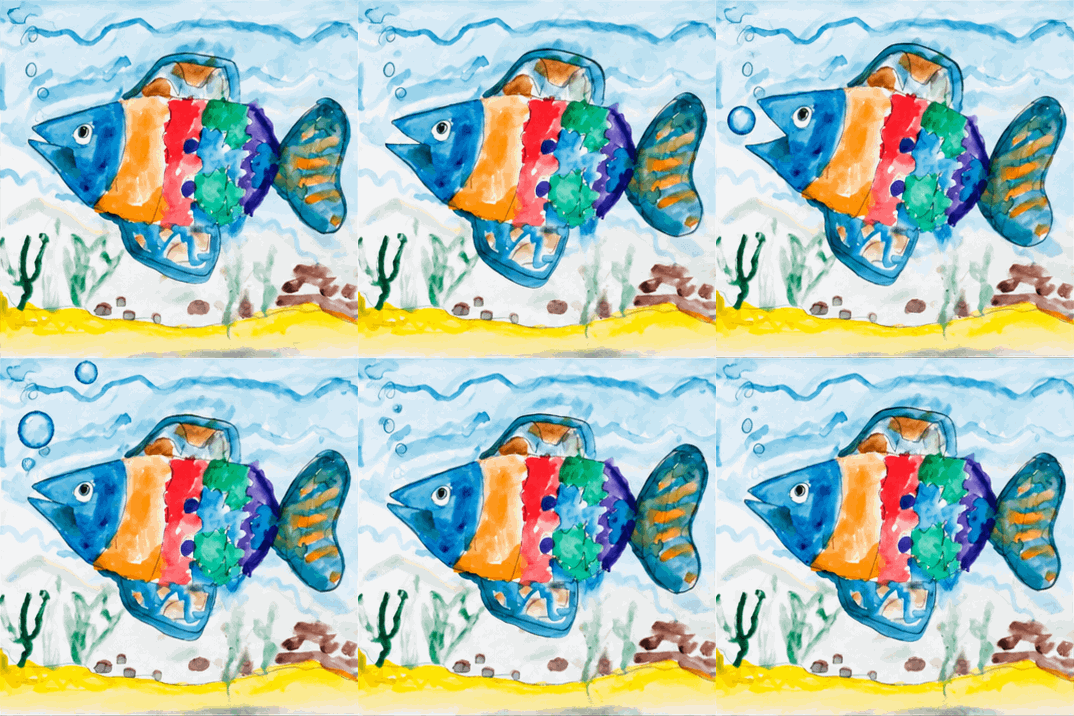
Almost any photo where something could move: a person, a pet, a kid’s drawing, a cup of coffee. Here are five I made in ChatGPT, each one next to the still photo it came from.
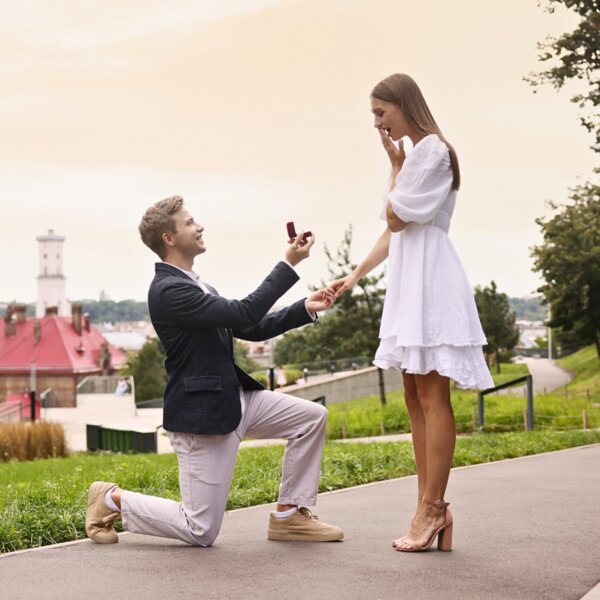
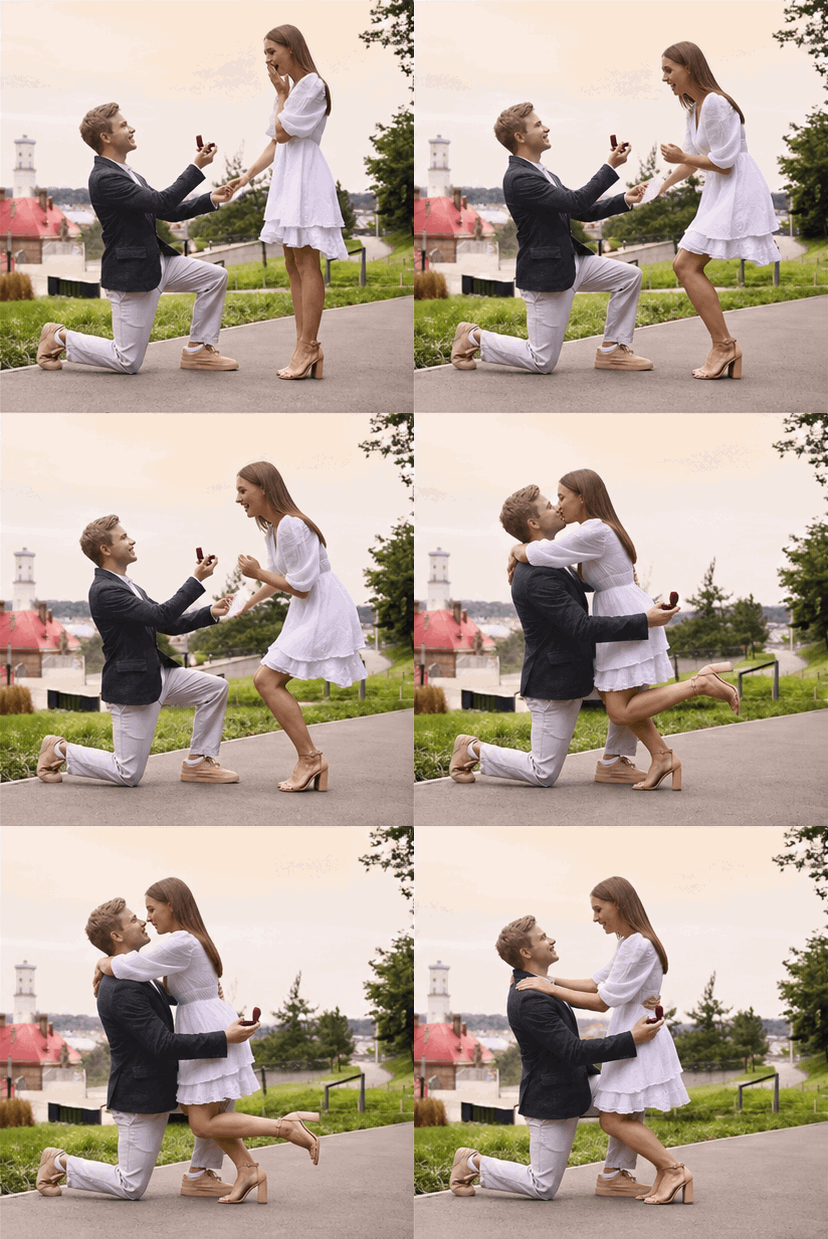
She said yes
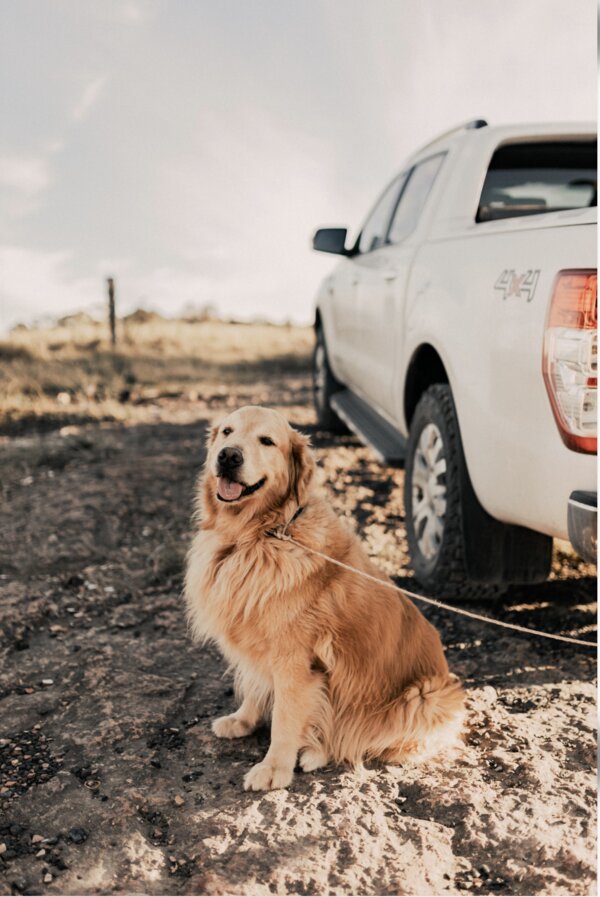
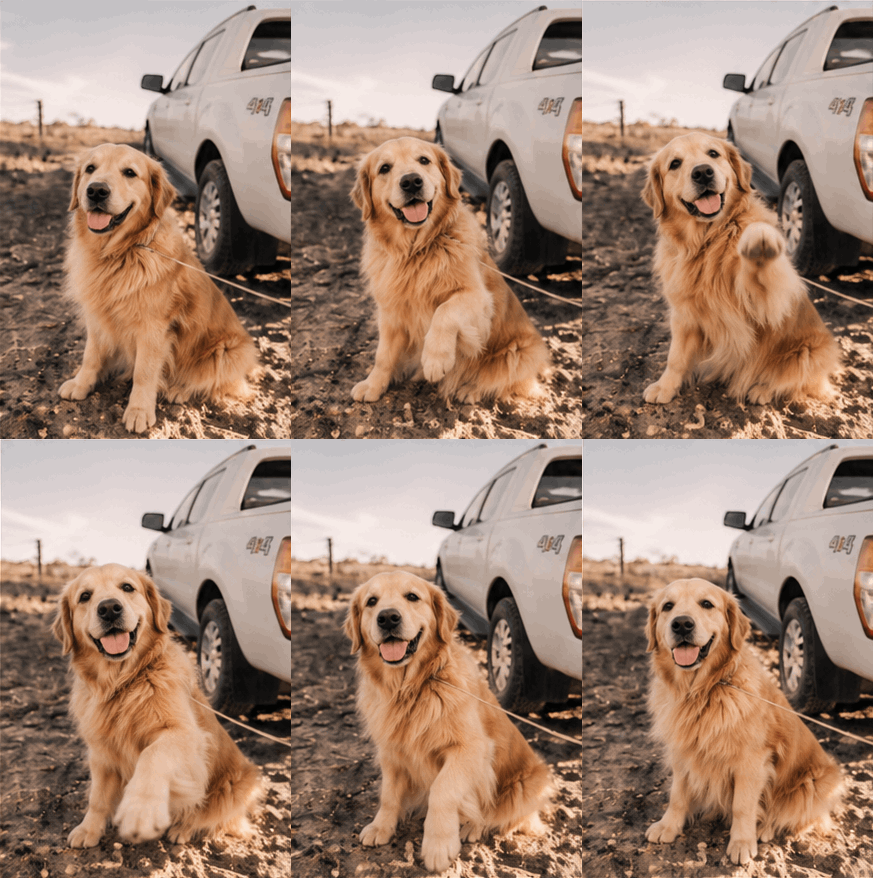
A high five from your best friend
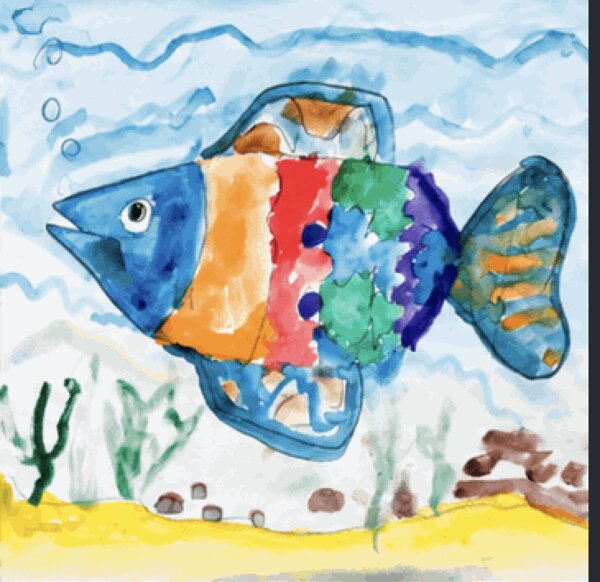
A kid's drawing, swimming
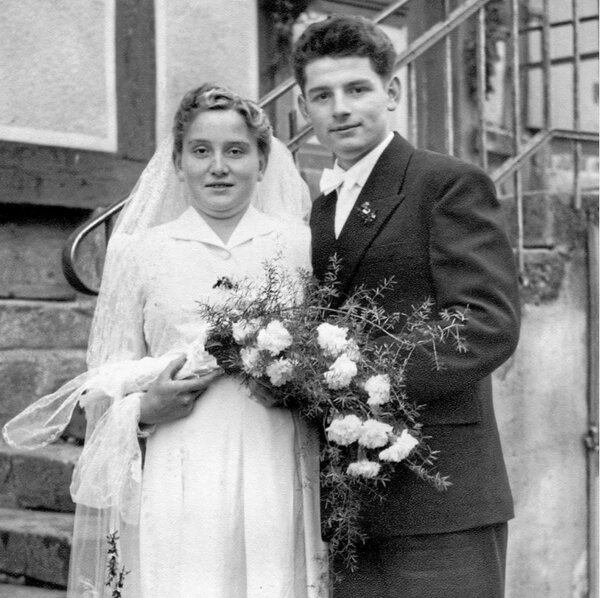
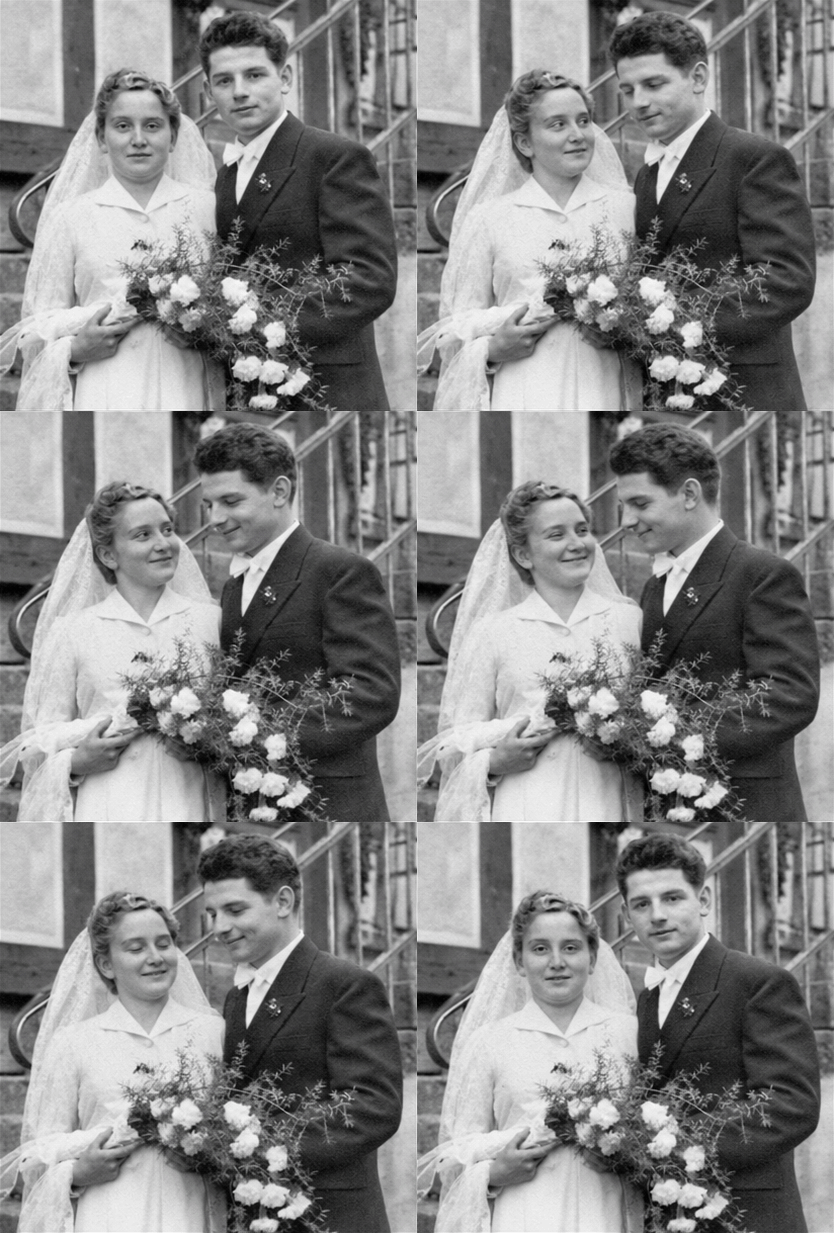
Happy anniversary
Happy birthday
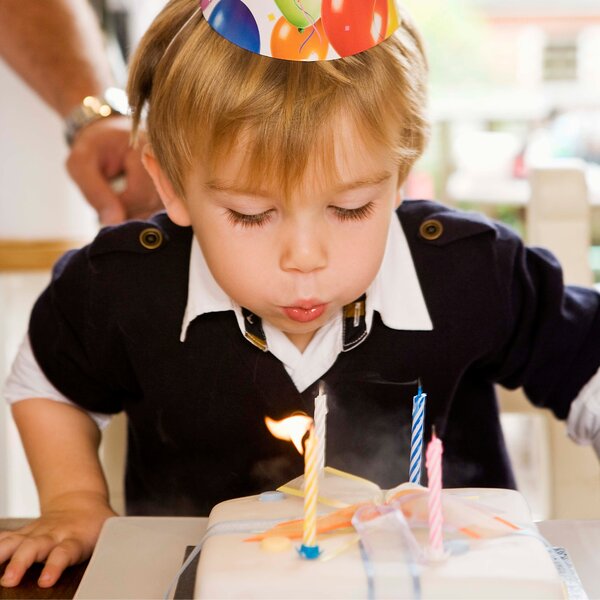
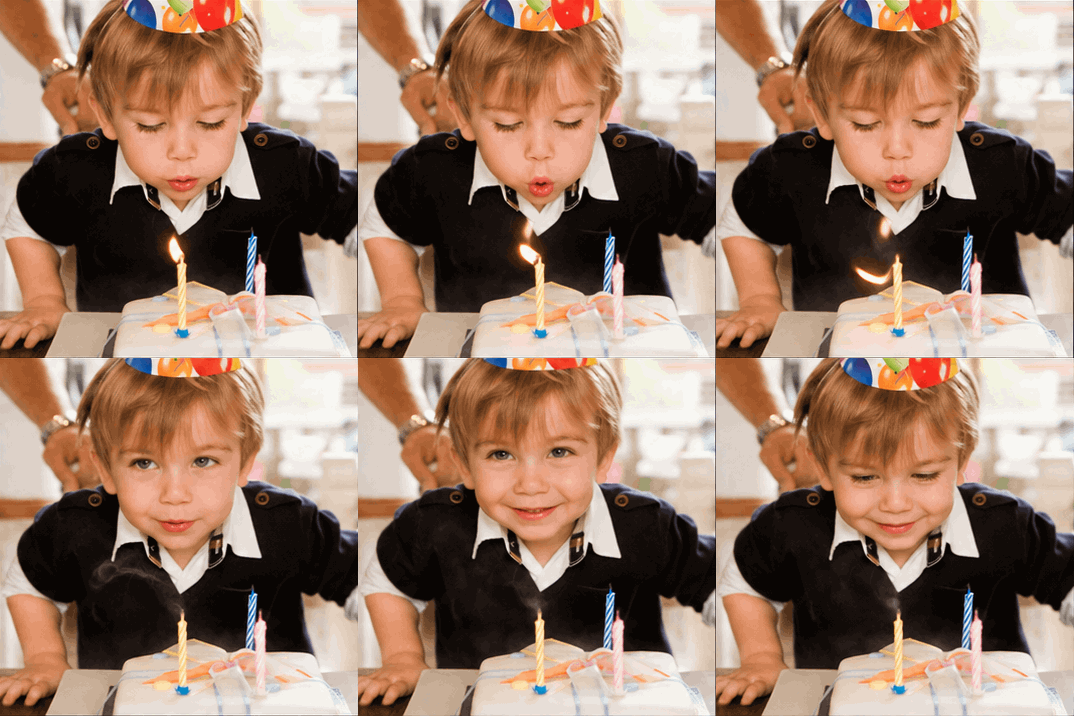
- Open ChatGPT and start a new chat.
- Upload your photo. Tap the plus button next to the message box and choose your photo.
- Paste the main prompt. This one line is all you need for every GIF:
Create a 4 to 6 second looping GIF from this photo.- Add what you want to happen. One sentence, right after the prompt, like “My dog lifts one paw toward the camera for a high-five.” There are 25 ideas below.
- Send it. ChatGPT makes your GIF right there in the chat.
The more clearly you say what moves, the better it comes out. One movement works best: a wave, a smile, a paw, steam rising, snow falling. If you don’t love it, run the prompt again, or say the movement a different way.
In the chat, your GIF has a speed button in its bottom left corner. Click it and pick a speed, from 0.25x (slow and dreamy) to 2x (quick and funny). Try it slower for a sweet moment, like a hug, and faster for a goofy dog.
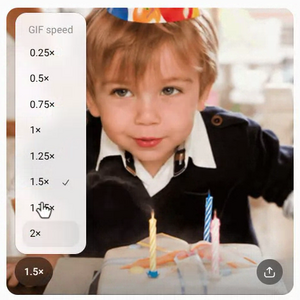
Set the speed before you leave the chat. You can only change it in the chat where ChatGPT made the GIF. Once it’s in your Library, the speed stays the way it is.
Click the share button in the bottom right corner of the GIF and choose Download. The GIF saves to your phone or computer, and from there you can send it in a text like any photo. The same menu also has Copy link and buttons to share on X, LinkedIn, and Reddit. ChatGPT’s GIFs come out small, about the size of a photo in a text message, which is just right for sending.
Here are the photos worth bringing to life, one for every moment you’d want to send. Each one says which photo to use and what to add after the main prompt from Step 1, “Create a 4 to 6 second looping GIF from this photo.” Swap in your own details, like “my cat” instead of “my dog.”
Celebrations
- Happy birthday. Use a photo of the birthday person. Add: “Colorful confetti falls all around them while they smile.”
- Congratulations. Use your dog sitting and facing the camera. Add: “My dog lifts one paw toward the camera for a high-five, then puts it back down.”
- She said yes. Use the proposal photo. Add: “She covers her mouth, says yes, and jumps into his arms.”
- Happy anniversary. Use your wedding photo, new or old. Add: “The two of them turn to each other and smile.”
- The baby’s here. Use a newborn photo. Add: “The baby does a tiny yawn and a little stretch.”
- Proud of you. Use a graduation photo. Add: “They smile and tip their graduation cap to the camera.”
- Good luck today. Use a first-day-of-school photo. Add: “The kid smiles big and waves at the camera.”
Love and the people you miss
- I love you. Use a photo of the two of you. Add: “The two of us lean in for a kiss.”
- Miss you. Use a photo of you hugging someone. Add: “We hug, and the hug gets a little tighter.”
- Thinking of you. Use an old photo of someone you love. Add: “They look up at the camera and smile softly.”
- Thank you. Use a selfie. Add: “I put my hand on my heart and smile.”
- Love you, Grandma. Use a photo of your kid’s drawing. Add: “Bring what’s in the drawing to life, like a fish swimming or a bird flapping its wings.”
- Get well soon. Use a photo of your pet. Add: “My pet lifts one paw toward the camera, like it’s offering it.”
- I’m sorry. Use your dog’s saddest photo. Add: “My dog looks up with big sad eyes and its ears droop.”
Every day
- Good morning. Use your coffee cup. Add: “Steam rises slowly from the coffee cup.”
- Good night. Use your pet curled up. Add: “My pet stretches a little and gives one slow, sleepy yawn.”
- That’s hilarious. Use your dog’s goofiest photo. Add: “My dog gives the camera a big, slow wink.” (A wink plays fast, so slow this one to 0.75x or 0.5x.)
- On my way. Use a photo of you in the car. Add: “I smile and wave at the camera.”
Holidays
- Happy Thanksgiving. Use the family at the table. Add: “Steam rises off the food while everyone at the table smiles.”
- Merry Christmas. Use a family holiday photo. Add: “Snow falls gently over everyone.”
- Happy holidays from the dog. Use your pet in a Santa hat. Add: “My dog in the Santa hat tilts its head at the camera.”
- Happy New Year. Use a photo of the two of you. Add: “Fireworks burst in the night sky behind us.”
- Happy Valentine’s Day. Use a photo of the two of you. Add: “Little red hearts float up around us.”
- Happy Mother’s Day. Use an old photo of Mom holding you as a baby. Add: “Mom gently rocks the baby in her arms.”
- Happy Father’s Day. Use a photo of Dad. Add: “Dad smiles and gives a thumbs up.”
Once you’ve said what happens, you can add one of these to the end of your prompt to get it closer to what you pictured:
- “Keep everyone’s face exactly the same as in the photo.” Good for people you love, so they still look like themselves.
- “Keep the background still. Only the [dog, baby, couple] moves.” Good when you want all eyes on one thing.
- “Make the movement slow and gentle.” Good for sweet moments, like a hug or an old family photo.
- “Keep the colors and style of the original.” Good for black-and-white photos and kids’ drawings.
- “Make it loop smoothly, so the end flows right back into the start.” Good for anything you want to play over and over, like steam or falling snow.
Start from a still photo. ChatGPT can't edit a GIF you upload, so always give it the original picture. Set the speed before you go. It only changes in the chat where the GIF was made. Not seeing GIFs yet? They're still rolling out to accounts, so check back in a few days. Every GIF is a little different. ChatGPT makes a new one each time, so if the first one isn't quite right, run the prompt again.
- OpenAI, “Images, upgraded: introducing ChatGPT Images 2.6,” November 4, 2026: turn a prompt or image into an animated GIF and adjust the speed. community.openai.com
- OpenAI, ChatGPT release notes: GIF creation is rolling out in ChatGPT, and ChatGPT can’t edit an animated GIF you upload. help.openai.com
- The five GIFs on this page are my own, made in ChatGPT from one still photo each in November 2026.
Want more like this?
One simple AI win in your inbox every Sunday. No jargon, no overwhelm, unsubscribe whenever you like.
Want more like this?
Free AI guides added regularly. No jargon, no overwhelm.
kellystrattonai.com